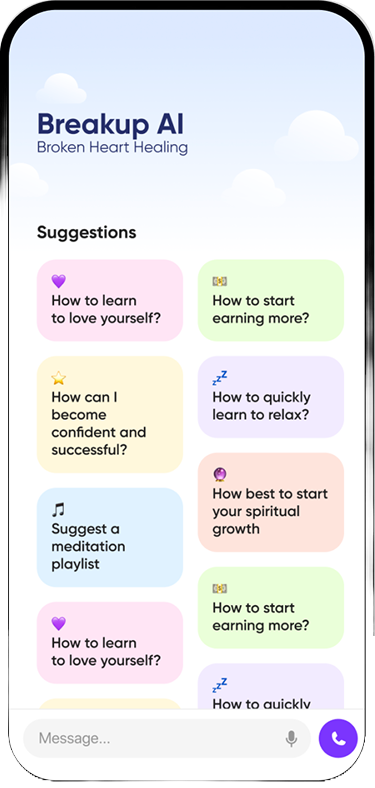

Short answer: The best genuinely free apps for a breakup are general wellbeing tools: Medito (free meditation with no paywall), Insight Timer (a large free library that includes heartbreak meditations), How We Feel (a free emotion journal from a nonprofit) and Finch (a free self-care app with an optional paid tier). Most breakup-specific apps, including Breakup AI, are free to download or try but need a subscription for full access. Your phone’s own app limits and mute settings are free too, and they help more than people expect.
Last updated: October 2026. We checked what each app offers for free against its own store listing or website this month. “Free” changes fast in app stores, so look at the in-app purchases section before you rely on anything.
When you’re freshly heartbroken, the last thing you want is a paywall on day two. So here’s an honest list, sorted by what you actually get without paying. And yes, this is the Breakup AI blog. We’ve included our own app where it belongs (in the “free trial” group), not at the top.
First: what “free” really means in app stores
“Free” on an app listing usually means one of three things:
| Label | What it means | Examples below |
|---|---|---|
| Truly free | No paywall, no subscription. Often run by a nonprofit | Medito, How We Feel |
| Freemium | A useful free version, with extras in a paid tier | Insight Timer, Finch, some no-contact trackers |
| Free trial | Free to download and try, then a subscription for full access | Most breakup-specific apps, including Breakup AI |
None of these is a scam. It’s just worth knowing which one you’re installing before you pour your heart into it at 2am.
Truly free apps
1. Medito: free meditation, no catch
Medito is run by the Medito Foundation, a nonprofit registered in the Netherlands. When it launched, the foundation said there would be no subscription fees, paywalls or ads, and that it would always be free. It’s on iPhone and Android.
Why it helps after a breakup: guided breathing and short meditations give your nervous system something to do other than replay the relationship. Good for the 20 minutes before sleep, when your mind starts drafting texts.
Limits: it isn’t breakup-specific. You’ll be choosing general sessions on anxiety, sleep or self-compassion.
2. How We Feel: name the feeling, then pick a strategy
How We Feel is made by The How We Feel Project, a nonprofit. It was developed with Yale University’s Center for Emotional Intelligence and is based on the work of Dr. Marc Brackett. The app is free, and it’s on iPhone and Android.
Why it helps: you check in by choosing a specific emotion from a color-coded grid. “Abandoned” or “jealous” or “relieved” is more useful than “bad.” Then it offers short video strategies in four groups: change your thinking, move your body, be mindful, and reach out. There’s also a feature for sharing how you feel with trusted friends.
Limits: it won’t tell you whether to text your ex. It helps you understand the feeling behind the urge.
Free apps with an optional paid tier
3. Insight Timer: the biggest free library, with heartbreak content
Insight Timer calls itself the world’s largest free audio library for wellbeing. It’s on iPhone, iPad, Android and the web. The free library includes heartbreak playlists and courses from different teachers, such as “Healing Heartbreak” and “Caring For Heartbreak.” A paid membership, Member Plus, unlocks extra features.
Why it helps: it’s the closest thing to free breakup-specific audio. Search “heartbreak” or “breakup” and you’ll find plenty to try.
Limits: quality varies between teachers, and there’s no structure unless you pick a course.
4. Finch: a self-care pet for days you can barely function
Finch, from Finch Care Public Benefit Corporation, gives you a small virtual pet that grows when you complete self-care goals. It includes morning and evening check-ins, guided journaling, breathing exercises and mood tracking. It’s free on iPhone and Android, with a paid Finch Plus tier.
Why it helps: in the first week, tiny goals matter. “Drink water,” “open the curtains,” “text a friend.” Finch makes them feel like they count, because they do.
Limits: the game side isn’t for everyone, and it has nothing specific about exes.
5. Free-to-start no-contact trackers
Several no-contact tracker apps are free to download and include basic features before asking you to subscribe. When we checked, Zero Contact offered basic features after onboarding, and No Contact Tracker – BreakUp was listed as “free to start.” Let it Go is a free download with premium options. Each counts your days since contact and adds things like journaling or urge logging.
Limits: the most helpful features are often paid. We compare them in detail in Breakup AI vs no-contact tracker apps.
Free tools already on your phone
These cost nothing and are often more effective than another app, because they put friction between you and your ex.
- App limits. On iPhone, Screen Time lets you set a daily limit on Instagram or TikTok. On Android, Digital Wellbeing has app timers. Set a short limit for the apps where you check their profile. If that’s a big problem for you, read our guide to stop checking your ex’s Instagram.
- Mute and Take a Break. Instagram lets you mute someone’s posts and stories without unfollowing. Facebook’s Take a Break hides their posts from your feed and limits what they see, without notifying them. Unsure which to choose? See should I block my ex.
- Archive the chat. Move their thread out of your main inbox so it isn’t the first thing you see each morning.
- Your notes app. Write the text you want to send there instead. It’s the simplest version of the unsent letter method, and research on expressive writing, starting with James Pennebaker’s work, suggests that putting painful feelings into words can help.
- A countdown widget or calendar note. If all you need is a no-contact day count, the date you last spoke written in your calendar does the job for free.
Try this tonight (free, 10 minutes):
- Set a 10-minute daily limit on the app where you check their profile.
- Mute or Take a Break from them on social media.
- Archive their chat thread.
- Open your notes app and write the message you want to send. Don’t send it. Title the note with tomorrow’s date.
- Do one short meditation in Medito or Insight Timer in bed, phone face down afterwards.
Free trial apps worth knowing about
6. Breakup AI: No Contact Coach
Breakup AI is a paid subscription with a free trial, on iPhone and Android. It isn’t free long term, so we’re putting it here honestly. What you can test in the trial:
- A no-contact counter with milestones and home-screen widgets.
- An SOS button for the moment you want to text your ex, with a quick calming flow.
- 24/7 AI chat that’s calm and judgement-free, plus an AI voice call.
- Short prompts and exercises.
Is the trial worth it? If your main struggle is the urge to text them, especially at night, a trial week tells you quickly whether having something between you and the send button helps. If you’re mostly coping and want calm, the free apps above may be all you need.
Want to try something built for the moment you want to text them? Open the SOS button in Breakup AI before you type anything. It walks you through the next few minutes and counts your no-contact days.


Free help that isn’t an app
Some of the best free breakup support has nothing to do with downloads:
- Crisis lines. In the US, call or text 988, any time. In the UK, call Samaritans free on 116 123. These are for when you feel unsafe or completely overwhelmed, not only for emergencies.
- Your GP or campus counselling service. If you’re a student, counselling is often free. In the UK, you can ask your GP about NHS talking therapies.
- One friend with a job. Ask someone directly: “Can I call you instead of texting my ex this week?” Most people say yes.
- A plan. Write down three small things for each day this week: one for your body, one for connection, one just for you.
Which free app should you start with?
| Your main problem | Free option to try first |
|---|---|
| Can’t sleep, mind racing | Medito or Insight Timer sleep and heartbreak sessions |
| Feelings are a confusing mess | How We Feel |
| Can barely do basic self-care | Finch |
| Keep checking their profile | Screen Time or Digital Wellbeing limits, plus mute |
| Want a no-contact streak | A free-to-start tracker, or the date in your calendar |
| Keep texting them, especially at night | A free trial of an app with in-the-moment help, such as Breakup AI |
Pick one, not five. Installing a stack of apps can turn into another way of avoiding the feeling. The goal is one or two tools you’ll actually open when it gets hard.
For the full picture, including paid options, see our guide to the best breakup apps in 2026.
FAQ
Is there a completely free breakup app?
Most breakup-specific apps need a subscription for full access. Completely free options are usually general wellbeing apps, such as Medito, which has no paywall or ads, and How We Feel, a free emotion journal from a nonprofit.
Is Breakup AI free?
Breakup AI is free to download with a free trial, then it is a paid subscription. You can test the no-contact counter, SOS button, AI chat and voice call during the trial.
What free app helps you stop texting your ex?
Your phone’s built-in tools are free and effective: archive their chat, mute them on social media and set app limits. Some no-contact trackers are free to start. Writing the message in your notes app instead of sending it also helps.
Are free meditation apps good for heartbreak?
They can help with sleep, racing thoughts and anxiety. Insight Timer’s free library includes heartbreak-specific meditations, and Medito offers free guided sessions with no subscription.
Where can I get free help after a breakup if I feel unsafe?
In the US, call or text 988 at any time. In the UK, call Samaritans free on 116 123. If you are in immediate danger, call your local emergency number.