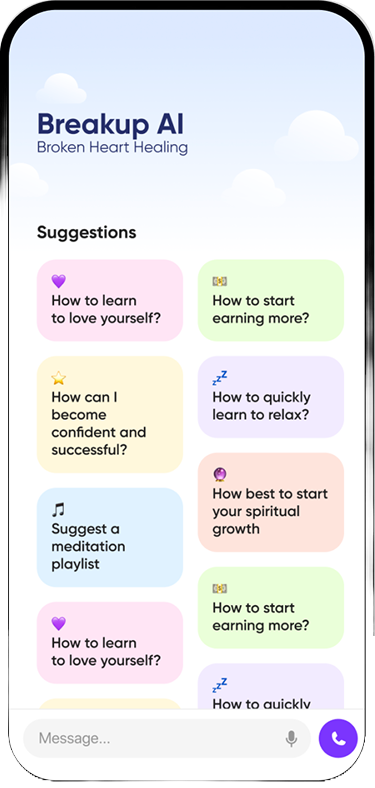

Short answer: Mend and Breakup AI both help you heal after a breakup, but they work in different ways. Mend is built around expert-written audio trainings and journaling you go through at your own pace. Breakup AI is built for the hard moments: a no-contact counter, an SOS button for when you want to text your ex, and 24/7 AI chat and voice support. If you want a structured course, look at Mend. If your main problem is not texting them at 1am, Breakup AI fits better.
Last updated: October 2026. We checked every Mend fact below against Mend’s own site, its App Store presence and published reviews. Features and prices change, so check the store listing before you subscribe to anything.
Full disclosure: this is the Breakup AI blog, so we have an obvious interest. We have tried to write the comparison we would want to read ourselves. Mend is one of the first apps built just for heartbreak, and it has helped a lot of people. The real question is which one suits the way you are hurting right now.
The quick comparison
| Mend | Breakup AI | |
|---|---|---|
| Core idea | Self-care for heartbreak (and burnout) through guided audio lessons and journaling | A no-contact coach for the moments you are about to reach out, plus ongoing support |
| Main format | Short audio trainings, each followed by a journal prompt; daily check-ins | No-contact counter, SOS calming flow, AI chat, AI voice call, short exercises, home-screen widgets |
| No-contact tracking | Lets you track your breakup and no-contact days | Day counter with milestones, visible on your home screen |
| Talking it through | No AI chat; the content is pre-recorded and written by people | AI chat and voice sessions, available any time of day or night |
| Help in a craving moment | You can play a training or write | A dedicated SOS button for the urge to text your ex |
| Platforms | iPhone app; reviewers have described it as iOS-only. Mend also sold a web-based heartbreak program | iPhone and Android |
| Pricing model | Paid content. Mend has sold courses and all-access options, and its full web program as a one-time purchase | Paid subscription with a free trial |
| Community | Its web program included access to a private Facebook group, The Menders Club | No community feed; support is one-to-one |
One thing worth knowing: when we checked in October 2026, Mend’s separate class site for its full heartbreak program was showing as offline to new students. Mend’s main website, blog and podcast were still live. If the full program is the reason you want Mend, check that it is available before you count on it.
What Mend is, and who it works for
Mend was founded by Elle Huerta and started life as a newsletter for people going through breakups before it became an app. Apple featured it in its Best of 2018 list. Its tagline today is simple: self-care for breakups and burnout.
The heart of Mend is audio. You put headphones in, listen to a short training on something like rumination, loneliness or closure, and then answer a journal prompt. The app also offers daily check-ins, a place to log the things you did to look after yourself, and a way to track the breakup and your no-contact days. Its full online program, “How To Mend From Heartbreak,” was described as more than 390 audio trainings plus two ebooks, sold with lifetime access.
Mend tends to suit you if:
- You like learning. You want to understand why it hurts this much and you enjoy being taught.
- You are past the very first raw days and want to work through things in order.
- Writing helps you. Journaling after each lesson is a big part of how Mend works.
- You prefer content made by people over talking to an AI.
Where it fits less well: pre-recorded content cannot reply to you. If it is 1:40am and you have typed “I miss you” into your ex’s chat, a lesson on attachment might be the last thing you want to press play on. And if you are on Android, Mend’s app has generally not been an option.
What Breakup AI is, and who it works for
Breakup AI: No Contact Coach starts from a different problem. Most people do not fail no contact because they don’t understand heartbreak. They fail in a specific two-minute window, usually at night, usually after a song or an Instagram story, when the urge to send one message feels unbearable.
So the app is built around that window:
- The SOS button opens a quick calming flow for the moment you want to text your ex, before you type anything.
- The no-contact counter shows how many days it has been since you last made contact, with milestones along the way, and it can live on your home screen as a widget so you see it before you see their name.
- AI chat lets you say the unsayable without judgement, at any hour, without burning out your friends.
- AI voice call gives you a calm voice to talk to when typing feels like too much.
- Short prompts and exercises give you something to do with the feeling instead of sending it.
Breakup AI tends to suit you if:
- You are in the first weeks and the texting urge is the main battle.
- You keep breaking no contact and want something between you and the send button.
- You want to talk things through, not just listen.
- You are on Android, or you switch between devices.
Where it fits less well: if you want a long, structured curriculum of expert lessons in a set order, that is not what Breakup AI is. And it is not therapy. If you are struggling to function, a licensed therapist is the right next step, and if you are in crisis in the US you can call or text 988 any time.
Why the difference matters: learning vs. the craving moment
Heartbreak has two jobs inside it, and different tools are better at each.
The first job is surviving the craving. Helen Fisher and colleagues scanned people who had just been rejected by a partner (Fisher et al. 2010, Journal of Neurophysiology) and found activity in brain areas linked to reward and craving, the same systems involved in addiction. That is why the pull to check their profile or send “hope you’re ok” can feel almost physical. Kross et al. (2011, PNAS) found that looking at a photo of an ex after an unwanted breakup activated regions that overlap with physical pain. In that state, information doesn’t help much. What helps is a pause, a way to ride out the wave, and something visible that reminds you what you are protecting. You can read more about that wave in our guide to the 90-second rule for cravings.
The second job is making sense of it. Over weeks, you rebuild your sense of who you are without them, process what happened, and stop replaying it. Writing about painful experiences in a structured way has decades of research behind it, starting with James Pennebaker’s work on expressive writing. Daily-diary research by David Sbarra and Robert Emery (2005, Personal Relationships) followed young adults after a breakup and found that sadness and anger tended to ease over the following weeks, which is useful to know on a bad day. This slower work is where an audio course plus journaling can really shine.
Mend leans toward the second job. Breakup AI leans toward the first, with chat and exercises that also help with the second. Neither is “better” in general. The right one depends on which job is hurting you most this week.
A real night, two ways
Say it is 11:52pm. You’ve just seen your ex in the background of a friend’s story, laughing. You open your messages and start typing: “Saw you’re out tonight. Glad you’re doing well I guess.”
With Mend, you would close the chat, open the app and play a training, maybe one about comparison or about the urge to reach out, then write your answer to the prompt. That works well if you can make yourself do it. Some people find a calm voice and a pen are exactly what they need.
With Breakup AI, you would tap SOS before you send anything. It walks you through the next few minutes. Then you might open the chat and type what you actually feel: “I’m so angry that they look happy. I want them to know I saw.” You get a calm, judgement-free reply, and your counter is still on day 19, not back at zero.
Both are better than sending it. If you want ideas for the next ten minutes, our list of things to do instead of texting your ex has 30 of them.
Try this tonight: Before choosing any app, answer one question honestly: “What has been hardest this week, the urge to contact them, or understanding what happened?”
- If it’s the urge, set up a no-contact counter tonight and put it on your home screen. Move your ex’s chat off your main screen too.
- If it’s understanding, pick one audio lesson or journal prompt and do just one, with your phone on Do Not Disturb.
- Either way, write down the exact text you want to send in your notes app, not in their chat. Read it again in the morning.
Can you use both?
Yes, and plenty of people mix tools. A sensible split looks like this:
- Use a craving tool (like Breakup AI’s SOS button and counter) for the moments you might break no contact.
- Use structured content (like Mend’s trainings, a library of meditations, or a good book) for a quieter time each day, say 15 minutes in the morning.
- Keep one journal, not three. Pick whichever place you are most likely to actually write.
The only real risk is paying for two subscriptions you don’t use. Start with whichever matches your hardest problem, use any free trial properly, and add the other only if you notice a gap.
Is the urge to text them the hardest part right now? Open the SOS button in Breakup AI before you type anything. It walks you through the next few minutes and counts your no-contact days.


How to choose in 60 seconds
| If this sounds like you… | Start with |
|---|---|
| “I keep texting them and hating myself after.” | Breakup AI |
| “Nights are the worst. I need someone to talk to at 2am.” | Breakup AI |
| “I want to understand what happened and learn from it.” | Mend |
| “I love podcasts and journaling.” | Mend |
| “I’m on Android.” | Breakup AI |
| “I’d rather not talk to an AI at all.” | Mend |
| “I can’t eat, sleep or work, and it’s been weeks.” | A licensed therapist or your doctor, with either app as an extra |
If you want to see the wider field, including free options and simple trackers, read our roundup of the best breakup apps in 2026. If you’re curious how AI support actually works and where its limits are, our explainer on what an AI breakup coach is goes into detail.
What neither app can do
No app can make your ex come back, and no app can skip the grief for you. Apps can make the hardest minutes shorter, keep you from undoing your progress, and give your thoughts somewhere to go. That matters. But the recovery itself still comes from time, sleep, food, people who love you, and slowly building a life that doesn’t revolve around checking on them.
If you are thinking about hurting yourself, please don’t wait for an app. In the US, call or text 988. In the UK, you can call Samaritans on 116 123.
FAQ
Is Mend still available in 2026?
Mend’s website, blog and podcast were live when we checked in October 2026, and it has been an iPhone app. Its separate class site for the full heartbreak program was showing as offline to new students, so check the App Store and Mend’s site for what is currently offered before you plan around it.
Is Mend available on Android?
Mend has been described by reviewers as iOS-only, and we could not confirm an Android version. Breakup AI is available on both iPhone and Android.
Does Mend have AI chat?
Mend is built around pre-recorded audio trainings and journal prompts created by people, not AI chat. Breakup AI includes AI chat and an AI voice call that you can use at any hour.
Which app is better for staying no contact?
Both let you track no-contact days. Breakup AI is designed specifically around no contact, with a milestone counter, home-screen widgets and an SOS button for the moment you want to text your ex.
Can a breakup app replace therapy?
No. Mend and Breakup AI are self-help tools, not therapy. If your breakup is affecting your sleep, eating, work or safety for weeks, talk to a licensed therapist or your doctor. In the US, call or text 988 if you are in crisis.
Are Mend and Breakup AI free?
Neither is fully free. Mend has sold paid courses and all-access options, and Breakup AI is a paid subscription with a free trial. Check each app store listing for current pricing.